


Game info
Sandbox, Simulation
Explore Solar Smash destruction tools, planet experiments, camera control and celestial-system collisions with practical sandbox ideas.
Solar Smash: Turn a Destructive Idea into an Experiment
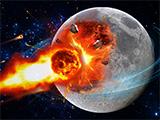
Solar Smash is Paradyme's planet-destruction sandbox, combining fictional weapons, detailed worlds and larger celestial-system experiments. Aim lasers, launch impacts, explore missiles or UFOs and compare what happens when different tools act on the same target. Planet Smash focuses on a world; Solar System Smash expands the scene to bodies, orbits and collisions.
An interesting session starts with a question rather than a queue of random explosions. What does a focused beam do to one point on the surface? How does a meteor strike look from another camera angle? What changes when an already damaged region receives another effect? The official Paradyme website introduces Solar Smash among the developer's simulations. Choose one tool, make its result easy to observe and use that result to decide what to test next.
Gameplay Overview: Planet and System Modes
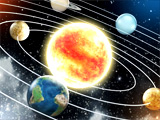
Solar Smash separates Planet Smash from Solar System Smash. One focuses attention on a particular world and the effects used against it; the other expands the playground to celestial bodies, orbits and collisions. Paradyme's official Android description documents these two scales of play.
Choose the scale that fits your idea. A planet session is useful when you want to compare the shape or placement of damage on a single target. A system session is useful when the relationship between bodies matters more than a surface mark. For example, altering one world while leaving its surroundings alone is a different experiment from arranging a collision. Keeping the goal clear helps you choose a starting scene instead of activating everything available and losing track of what changed it.

How to Play: Begin with One Tool
Start with a fresh target and one available effect. A beam, an impact and a missile-style attack give you different visual questions to explore. With a focused tool, aim at a recognisable point and inspect the mark it makes. With an incoming object, watch the approach as well as the contact. Let the first action finish before adding another.
Choose a location you can find again after rotating the camera. Compare a strike near the visible centre with one closer to the edge, keeping the target and tool similar. Then inspect the far side rather than judging only from the firing position. This shows whether your next action should repeat the same area, change the angle or use an effect with a different kind of coverage.
Controls and Camera Awareness
Choose a weapon or effect from its tool category, then use the aiming control to select where it acts. Learn camera rotation separately from weapon activation so that inspecting the far side of a planet does not become an accidental extra strike. Resetting the world provides a clean starting point when you want to compare results.
Keep the view stable during a comparison. If the camera is much closer on the second test, a crater may look larger even when the underlying action is similar. Return to a comparable distance and angle before judging the difference. Aim at a recognisable landmass or surface mark when repeating an effect. Then decide whether the next action should hit the same point, cross the previous damage or test the opposite side of the world. That deliberate targeting makes it easier to understand a tool than scattering strikes around an unfamiliar camera view.
Key Features of Solar Smash
Paradyme's Solar Smash includes lasers, meteors, missiles, UFOs, black holes and other fictional destructive tools. Its official iPhone and iPad listing also describes defensive effects, custom systems and planetary collisions. These offer distinct ways to build a destruction scene: direct surface damage, an approaching impact, protection around a target or a change to the surrounding celestial system.
Pick a role before picking a weapon. If you want a narrow visible mark, begin with a focused effect. If you want to stage an approach and collision, choose an available moving object. If you want to compare defence with damage, use a scene that provides a shield or defensive option. A smaller, understood tool set is more useful than changing categories after every click.
Pro Tips: Compare Tools Fairly
Compare a laser-style strike with an impact on the same starting world. Notice the shape of the affected region, the direction of the action and how much of the result is visible from your first camera position. Reset between direct tests so a previously damaged region does not make the second tool appear stronger or weaker for the wrong reason.
Then run a different experiment: keep the first damage and apply the second effect to that area. You are now exploring a sequence rather than comparing isolated weapons. Those are both enjoyable Solar Smash activities, but they answer different questions. Save a view of the finished world, rotate it and inspect the outline. The lasting mark is often more informative than the brightest flash during the attack.
Build a System Experiment around One Change
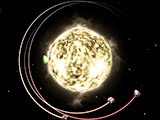
In Solar System Smash, the interesting scene can be the path between bodies rather than a weapon mark on one surface. Begin with a simple system and follow one planet or asteroid relative to the star. Use the mode's available controls to change one part of that setup, then watch the path long enough to see whether it creates a near pass, a separation or a collision.
For example, compare two similar approaches to a planet: one with a clear gap and one aimed closer to contact. Keep the surrounding bodies similar while you change that route. Adding several planets, a black hole and multiple impacts at once can produce an impressive scene, but a small starting system makes gravitational-looking deflection and collision much easier to follow.
Choose the Scale of Your Experiment
A close planet view is useful for comparing a laser mark, crater edge or other surface effect. A wide system view is useful for following an asteroid, a planet's path or an approaching collision. Choose the camera scale that keeps the important event visible.
For a surface test, inspect the contact region and then rotate to see its outline from another side. For a system test, keep both approaching bodies in view until the encounter resolves. Constantly changing distance can make two similar effects look very different, so return to a comparable view before judging their size.
Use Before-and-After Observations
Choose a visible landmark before firing: a landmass, an edge of the world or an earlier impact mark. After the attack, inspect that region from the same angle and then from the side. A screenshot can help preserve an outcome you want to compare with a reset target.
If an asteroid leaves the camera view before contact, repeat the setup with a wider view instead of adding more impacts. If a bright effect hides the surface, wait for it to settle. Improving the observation can explain a result more clearly than increasing the amount of destruction.
Enjoy the Simulation as a Sandbox
Set your own creative objective: a recognisable damage pattern, a staged collision or two contrasting outcomes from the same planet. The objective gives each weapon selection a purpose without requiring a campaign to assign one.
Solar Smash also includes fictional destructive effects. For real planetary facts, use NASA's Solar System overview rather than treating an in-game display as a scientific measurement. The game can inspire a question about worlds or orbits while remaining a creative playground. Enjoy the result you build without needing an exaggerated explosion to establish what would happen in actual space.
Advanced Tips: Combine Effects with a Purpose
Build combinations around a visible relationship. Make a surface mark with one available effect, then aim a different tool at that same region and compare the final shape with a fresh-target attempt. Alternatively, in a scene that supplies defensive options, compare an incoming attack before and after adding the defence.
Plan where the main event should happen and place the camera so you can see it. A sequence of missiles or impacts is easier to understand when you can follow their contact area instead of losing it behind the planet. Use a wider view for an incoming object, then inspect the surface afterwards. The useful combination is the one that creates the scene you intended, whether that is a concentrated crater, a broad pattern or an interrupted approach.
Secret Worlds and Historical Walkthroughs
Before following a secret-world video, compare its starting target, weapon selection and release with your own. An exact unlock recipe can depend on those details, and a historical clip may omit a condition needed for its result.
If the required feature is absent, try recreating the visible pattern as your own challenge instead of expecting an undocumented reward. A ring, a repeated impact arrangement or an unusual final silhouette can be a creative goal in itself. That separates an outcome you can observe from an unlock claim that the footage does not fully explain.
Build Your Own Short Sandbox Challenge
Choose a small rule for a repeatable planet-destruction challenge. You might allow three impacts on one fresh target, one focused effect followed by one wider attack, or two different tool orders with the same starting world. Give each run an observable finish, such as a recognisable damage pattern or a particular final camera view.
For a system challenge, set up a small group of bodies and try to produce one clear encounter instead of immediate chaos across the whole screen. These are your own creative tasks, not invented official achievements. They give lasers, asteroids, planets and orbits a purpose within a short session. Repeat the setup, change the rule and compare the result; that is how a space sandbox stays interesting after the first spectacular explosion.
Free Installation and Current Weapon Access
The official Solar Smash app is free to install and offers optional in-app purchases. Weapons and content can have their own access conditions, so read the tool selection and any optional offer before confirming. Begin with the effects already available and learn what each one does before deciding which additional content interests you.
Aiming, rotating and resetting are enough for a useful first session. Compare a focused laser mark with an impact, or study one approach from several camera positions. You do not need every tool to discover whether you enjoy making damage patterns, staging collisions or following orbital changes. Use the official store routes for installation and product details. For a personal challenge, limit the number of strikes or keep the same target across several tests; a clear rule often produces a more memorable result than a larger catalogue of effects used without a plan.
Visual Effects and Comfortable Play
Explosions, bright beams and impact effects are central to Solar Smash. The official Android listing includes a flashing-lights warning; read that existing notice when deciding whether the activity is suitable for you. Use the current sound and visual settings where available.
Let one effect settle before applying the next when you want a readable comparison. Overlapping flashes can hide the contact point of an asteroid or make the surface result difficult to inspect. A simpler target and a different camera angle can be more useful than adding another attack. Choose a pace that lets you enjoy the scene you are making rather than treating greater intensity as the only aim of the session.
Similar Sandboxes at Different Scales
For more planet and gravity experiments, open the space sandbox collection. Its alternatives keep the focus on worlds, orbital motion or destructive effects, while using their own controls and goals.
Paradyme's catalogue also includes smaller-scale destruction simulations. A city or room scene shifts attention towards structures; a ragdoll playground shifts it towards bodies and obstacles. Choose by the interaction you enjoy: controlled surface damage, an approaching collision, a changing orbit or local object physics. A similar theme is useful context, but the available tools determine the experiment you can actually build.
History and Updates
Solar Smash is a Paradyme game; Solar Smash 2D is a separate spin-off rather than another camera setting for the same release. Use official product and store information to identify modes and updates.
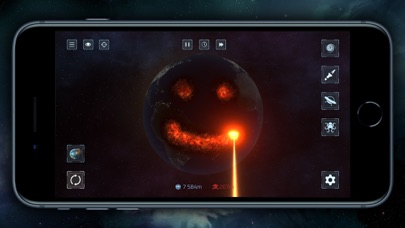
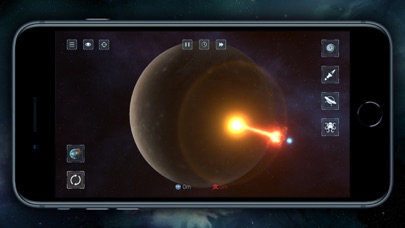
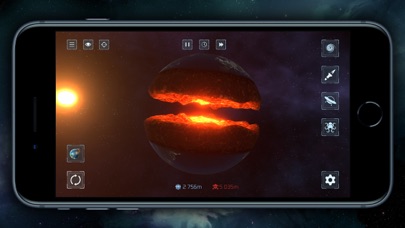
The media below illustrates its labelled release. Compare the visible scene before trying a recorded sequence on another build. For an experiment you want to repeat, remember the starting world, main effects and final camera position. Those details preserve the idea more reliably than remembering only the biggest explosion or the name of a tool used halfway through the sequence.
Make the Next Result Easy to Understand
Start with a fresh target and an available tool whose effect you want to learn. Aim at a recognisable point, watch the full result and inspect the world from another angle. Then decide whether the next test should change the tool, the contact position or the order of effects.
A concentrated laser test, an asteroid encounter and a system collision are different reasons to open the sandbox. Choose one, make its result readable and keep the sequence you like. That gives the larger destruction scene you want to create a clear starting point.
Similar Games
The similar space games offer more planets, gravity scenes and attack tools when you want a fresh experiment. Planet Demolish, Planet Gravity and the other named alternatives have their own rules; compare their tool sets, camera controls and simulation goals.
Pick the next activity by the part you want to change. A gravity game puts motion first, a planet-attack game changes the target and effect, and a wider system simulation adds relationships between worlds. Each gives a familiar interest in space a different practical question.
Browser games in this collection
- Planet Demolish — A planet-destruction browser game built around a visible world and destructive tools. It is a much closer fit for Solar Smash interests than a vehicle crash game because the target and scale remain planetary.
- Planet Destruction Sandbox — Experiment with destruction on a planetary target in a separate browser sandbox. The useful appeal is cause and effect: choose an intervention, observe what it changes and decide whether the result matches the experiment you had in mind.
- Planet Gravity — A space-physics choice centred on gravity and planetary motion. This is a related simulation rather than a promise of the same weapon catalogue as Solar Smash.
- Planetarium 2 — Explore a planetary simulation where the interesting action comes from the relationships between objects in space. Compared with a direct bombardment game, an orbital sandbox rewards watching: size, position and movement can make a system stable or cause it to change dramatically.
- Planetary Assault — A planet-attack game whose source describes bombardment and progression. It belongs with planetary destruction, while its clicker-style pacing distinguishes it from an unrestricted physics sandbox.
- Rocket Blow: Destroy Planet in the Space 3D — A rocket-led planetary destruction title with a three-dimensional presentation. A visible projectile and a large target make the sequence of aim, launch and impact the central thing to watch.
Frequently asked questions
What is Solar Smash?
Solar Smash is Paradyme’s destruction sandbox. Experiment with planets, fictional weapons and celestial systems, choosing creative goals rather than following a fixed campaign objective.
What is the objective in Solar Smash?
Choose an experiment or creative result, such as comparing an impact, changing a planet’s surface or staging a system interaction. The sandbox leaves that goal to the player.
What are the Solar Smash modes?
Planet Smash focuses on a world and destructive tools. Solar System Smash expands the sandbox to celestial bodies, systems, orbital motion and collisions.
How can I compare Solar Smash weapons fairly?
Use the same starting target and a comparable camera view. Apply one tool at a time, let the result develop and reset before testing the next effect.
Is Solar Smash an accurate astronomy lesson?
It is a game with fictional destructive effects. Use scientific sources such as NASA for real-world planetary facts rather than treating an in-game display as a scientific measurement.
How should I follow a Solar Smash secret-world video?
Compare the starting world, selected tools and demonstrated sequence. Use the footage as evidence for its shown result and avoid assuming an unexplained action guarantees an unlock.
How do I make Solar System Smash experiments easier to understand?
Begin with a simple system, follow one body and change one element at a time. Observe long enough to distinguish a near pass, a stable-looking path and an eventual collision.
Does Solar Smash contain flashing effects?
The official Android listing includes a flashing-lights warning. Read the current notice and available settings when deciding how to play.

Good game? Tell us.0
Share a tip, celebrate a high score, or tell us what you think. Keep it friendly.